A neon studio
Colored light strips and a mirror-like floor that reflects them.
Full body, your clothes
Hotel Lobby Video (hotel-lobby-video.com) makes a photo dance: you move through a short, energetic routine in a neon studio, shown head to toe, wearing exactly what you wore in the picture, to an original track. One photo works, or one per person for a duo. 5 seconds is 4 credits.
Your photo
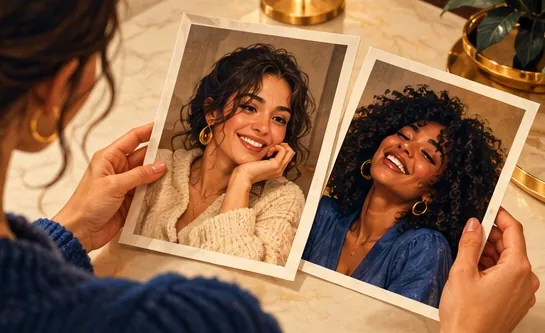
Just one photo: alone or as a pair.
Effect
Video
Cost: 4 credits. Takes roughly 2 to 5 minutes. If it fails, the credits come back. See prices
To make an AI dance video from a photo on Hotel Lobby Video (hotel-lobby-video.com), upload one clear photo (or one per person, or one of both), keep the Dance effect selected and tap create. Seedance 2.0 Mini renders you in a neon studio, full body and in your own clothes, doing bouncy steps, arm swings, a quick spin and a final pose to an original track. No app or prompt is needed; 5 seconds at 720p costs 4 credits and takes up to about 5 minutes by the provider’s estimate, with refunds on failure. The moves are fixed by the effect: you cannot choose a routine or copy a specific TikTok challenge.
Last updated
The routine
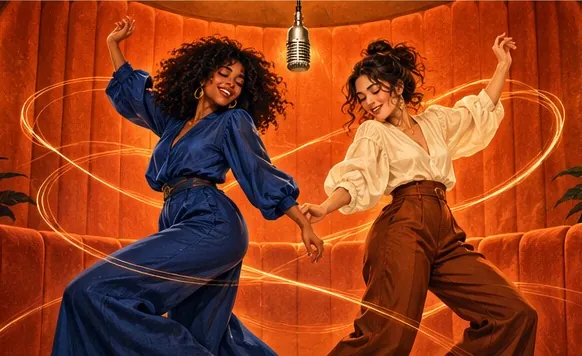
Picture a dance studio at night: neon strips along the walls, a glossy floor throwing the colors back. You dance a smooth, high-energy routine on the beat in the outfit from your photo. Bouncy steps, swinging arms, a quick spin, then a sharp final pose with a big smile at the camera. The camera stays wide so you are in frame from head to toe the whole time.
Because the shot is full length, the photo you start from matters more than with most effects. A full-length photo tells the model what your trousers and shoes look like; a face-only selfie leaves them to guesswork. Loose hair and jackets move with the spin, so pick an outfit you would actually dance in.
How to
Head to toe if possible, face clear. For a duo, one photo of each dancer or one photo of both.
Defaults: Seedance 2.0 Mini, 720p, 5 seconds, 9:16. Any change updates the price on the button.
The provider quotes up to about 5 minutes. Save the MP4 and post it, or swap in a trending sound in TikTok or Instagram.
In the clip
Colored light strips and a mirror-like floor that reflects them.
Steps, arm swings, a spin and a final pose, packed into a few seconds.
The framing keeps you head to toe, dressed as in your photo.
A driving kick drum and bright synths, with no vocals.
The clip already has its own original track, so it plays fine on its own. To join a trend, upload the MP4 to TikTok or Instagram Reels, choose the trending sound from the app’s library and turn the clip’s audio down. The dance itself is the effect’s routine, so it will not match a particular challenge step for step.
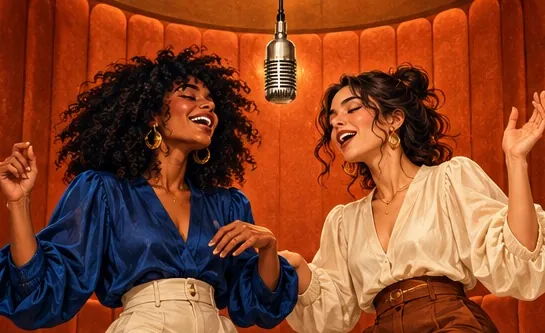
If you want two photos to copy moves you filmed yourself, the rap tab can take a short clip as the motion, in the orange booth or on another stage. The own reference video guide shows how.
Made elsewhere
These clips come from other creators and other tools. They show the format, not what Hotel Lobby Video will produce for you. Every clip credits and links its maker.
Upload a clear photo, keep Dance selected and tap create. You get a short MP4 of yourself dancing head to toe in a neon studio.
Yes. Add one photo of each person, or one of both, and you dance side by side. Couples, friends and a parent with a grown-up child all work.
This one is paid, with no watermark. 5 seconds at 720p is 4 credits; longer clips cost more, shown on the button. You spend credits at the moment you create (packs start at 10 credits for $9.99), and any render that fails gives them back on its own.
No. Every clip gets the same style of routine: steps, arm swings, a spin and a final pose. Add the challenge sound in TikTok or Instagram when you post.
It has an original instrumental track, not a commercial hit. To use a trending song, add it from the TikTok or Instagram sound library and turn the clip’s audio down.
The dance effect is written for people, so results with pets are unpredictable. The pet rap video is the option designed for animal photos.
The clip shows your whole body. From a full-length photo the model sees your actual clothes and shoes instead of guessing them.
Yes, if she agrees: use her photo instead of yours. No strangers, celebrities or public figures.
No app: it runs in the browser on a phone or computer. The provider quotes up to about 5 minutes, and the MP4 is saved in My videos.
Hit the floor
One full-length photo, one neon studio, one routine. You see the price before you create.