Hotel Lobby AI Video on Your Phone: No App Needed
Yes: Hotel Lobby Video (hotel-lobby-video.com) runs in Safari or Chrome, so a Hotel Lobby AI video needs nothing installed. Pick one photo per person from your camera roll, tap Create video, and a 12-second clip on Wan 3.0 at 480p costs 6 credits and is normally done in about 5 to 15 minutes. The one surprise on iPhone: the MP4 lands in the Files app, not Photos, until you tap Share and Save Video.
The iPhone file steps below follow Apple’s own help pages, and the Android ones follow Google’s. Menu names can shift a little between OS versions, so the links are there if a button looks different.
Last updated
Before you start: the short kit list
| Item | What counts |
|---|---|
| Browser | Safari on iPhone, Chrome on Android. Extensions and apps are not involved. |
| Photos | One person in each. Camera-roll shots or a fresh picture both work; JPG, PNG, WebP and iPhone HEIC files are accepted if each side is 300 pixels or more. |
| Google sign-in | Asked for once, the first time you press Create video. |
| Credits | Charged at the moment you create: 6 for 12 seconds at 480p. The entry pack is 10 credits for $9.99. |
| Time | Roughly a quarter of an hour, most of it waiting. Locking the phone does not stop the render. |
Built for the small screen
Create the video from your phone
Already set to 9:16 for Reels and TikTok. Drop in one photo per person; the button lists the credits first.
Your duo, one photo each
A single person per photo. Left raps, right hypes.
Stage
Video and audio
Cost: 6 credits. Takes roughly 5 to 15 minutes. If it fails, the credits come back. See prices
Phone steps for the Hotel Lobby AI video
- Go to hotel-lobby-video.com and scroll down to the generator. Rap video should already be the active tab.
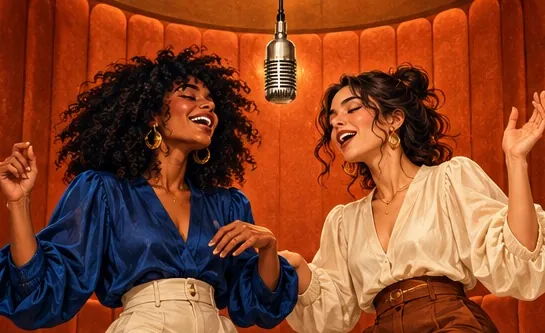
- Press Add photo in the left slot. iPhone offers Photo Library, Take Photo or Choose File. Whoever sits on the left gets the hanging mic.
- Fill the right slot with the second person, the hype partner. If all you have is one picture of the two of you, switch to One photo.
- Leave the stage on Hotel Lobby. In Video & sound, press Change beside Wan 3.0 to set the length and the shape; 9:16 Vertical suits TikTok, Reels and Shorts. Credits are printed next to every option.
- Press Change on the sound row to choose the audio: the Hotel Lobby track, Your song (a file from your phone), or an AI rap if you move to a Seedance model.
- Press Create video. On a first visit you sign in with Google; Safari may hop to Google and back, and your photos stay put. Short on credits? Pay, and the render starts by itself when you return.
- Let it run. A timer shows progress. You can leave: the job continues and the result waits in My videos.
iPhone: from Downloads to the Photos app
- Under the finished clip, press Download MP4.
- Safari checks whether to download “hotel-lobby-video.mp4”. Confirm with Download.
- A small arrow replaces the icon on the left of the address bar. Tap it, then Downloads, to see the file.
- Or open Files, go to Browse, then Downloads. If iCloud Drive is on, look in iCloud Drive, Downloads; otherwise On My iPhone, Downloads.
- Long-press hotel-lobby-video, choose Share, then Save Video. It now sits in Photos, ready for Reels, TikTok, Messages or WhatsApp.
Apple documents where downloads go in Where to find downloads on your iPhone; older or newer iOS versions may label things slightly differently.
Android: finding the downloaded clip
- Press Download MP4. Chrome drops the file in your downloads.
- Your phone’s Files app shows it, and Chrome lists it under Downloads too (Chrome Help).
- For Google Photos, open Collections, then On this device, then the Download folder (Google Photos Help).
These Android steps are taken from Google’s help pages. Phone makers sometimes rename the Files app, so search for “Downloads” if you cannot spot it.
Match the format to where it is going
| Destination | Shape | Worth knowing |
|---|---|---|
| TikTok | 9:16 | Switch on the AI-generated label. TikTok bans AI content that shows anyone under 18, and adults who are private people unless they agreed (TikTok). |
| Instagram Reels | 9:16 | Instagram asks for at least 720 pixels and 30 frames per second (Instagram Help). That points to 720p; the 480p default is 480 pixels across. |
| YouTube Shorts | 9:16 or 1:1 | Vertical or square videos of up to three minutes count as Shorts (YouTube Help). |
| Group chats | Any | Send the MP4 straight from Photos or Files. |
On Wan 3.0, lengths of 5, 8, 10, 12 or 15 seconds cost 3, 4, 5, 6 or 7 credits at 480p and 4, 6, 8, 10 or 12 at 720p. The trade-offs are laid out in choosing 480p, 720p or 1080p.
When something goes wrong on mobile
| Message or problem | Fix |
|---|---|
| “That photo is too small” | Pick the original camera-roll file (300 pixels or more per side), not a screenshot of a chat thread. |
| “That photo is too narrow or too wide” | Crop tighter around the person. Panoramas and wide group shots are rejected. |
| The Google window never appeared | Press Create video once more. Safari visits Google and returns with your photos intact. |
| You closed the tab mid-render | Open My videos from the menu. The render carried on without you. |
| Photos does not show the clip | iPhone saves downloads to Files first. Use Share, then Save Video. |
| A voice memo is missing from the file picker | Export it from Voice Memos to Files first; see using a voice note. |
| “You have 3 videos rendering” | Three renders can run side by side. Wait for one to finish, then start the next. |
FAQ
Is there a Hotel Lobby AI app I have to install on my phone?
No. Hotel Lobby Video (hotel-lobby-video.com) is a website; Safari, Chrome or any modern phone browser runs the whole thing.
Where did my Hotel Lobby video go after I downloaded it on iPhone?
Into Files, under Downloads. Long-press it, tap Share and pick Save Video to copy it into Photos.
Will the render stop if I lock my phone or switch apps?
No. The job runs on the server, and the finished clip is kept in My videos for when you come back.
Do HEIC photos from an iPhone work?
Yes. Your browser converts each one to JPG before upload and strips the location data.
Can I make one for free on my phone, just once?
No. There is no free preview; each video is paid in credits when you create it, 6 for 12 seconds at 480p. A render that fails is refunded automatically.
Is there a watermark on the phone download?
No. A paid video downloads as a clean MP4.
References
Up next
Hotel Lobby AI Apps 2026: Swap, Re-shoot or Studio
Hotel Lobby AI apps grouped by output, from each app’s own page: face swaps of the original clip, re-shoots of the routine, AI-song studios, prompt tools and iPhone events
Hotel Lobby Trend Tutorial: Pick Your Route, Then Post
A decision-first tutorial for the Hotel Lobby trend: which of three routes suits your time and budget, the steps for each, the free options and how to post
Voice Note to Hotel Lobby AI Video: Your Words, Lip-Synced
When the words must be yours: record on your phone, get the file into the browser, frame the best seconds and let the left performer lip-sync it
Hotel Lobby Video is an independent product with no ties to Quavo, Takeoff, Migos, Quality Control Music, Motown or COLORS.