Best Photos for a Hotel Lobby AI Video (and Ones to Skip)
The best photo for a Hotel Lobby AI video shows one person, face to the camera in even light, ideally standing and visible from head to toe, with nothing over the face and nothing in the hands. On Wan 3.0, every photo is first redrawn as a full-length studio portrait of that person, so anything your picture leaves out, the redraw has to make up.
The usual mistake is a selfie cropped out of a group chat: small, dark, cut off at the chin, a friend’s shoulder in the corner. This checklist explains how the generator treats a photo and which choices give it the least to guess.
Last updated
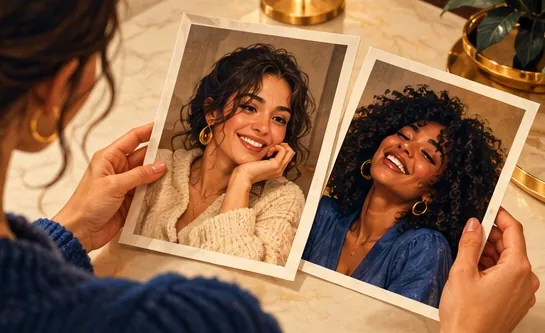
Photo checklist at a glance
| Choose | Skip | Reason |
|---|---|---|
| A single person per photo | Group shots, a half-visible friend at the edge | A second face forces the model to choose. Crop down to one. |
| Face toward the lens, even light | Side profiles, dim rooms, a bright window behind | The face has to survive both the redraw and the video. |
| Full body, or at least to the waist | Face-only crops | Missing body and clothes are filled in with plain items that match the visible top. |
| Standing | Sitting or lying | The redraw stands everyone up, but it has to guess legs and posture. |
| Closed mouth or a light smile | Tongue out, mouth wide open | The redraw is told to close the mouth, and an open one leaves it more to change. |
| Nothing in the hands | Phones, glasses of wine, flowers | Held objects and some small jewelry are dropped in the redraw. |
| Eyes on show | Sunglasses, masks, a low cap | Hidden eyes leave the model nothing to copy. |
| The original, full-size file | Chat screenshots, tiny copies | Under 300 pixels on a side is refused; blur costs detail. |
Got the right shots?
Put your photos in the booth
One person per photo: the left one raps, the right one hypes. Credits show on the button before you create.
Your duo, one photo each
A single person per photo. Left raps, right hypes.
Stage
Video and audio
Cost: 6 credits. Takes roughly 5 to 15 minutes. If it fails, the credits come back. See prices
What happens to a photo before the video starts
- Your browser re-saves the photo as a JPG with the longest side at 2,048 pixels and removes location data.
- For Wan 3.0 in the Hotel Lobby booth, each photo becomes a full-length studio portrait: same face, hair, age, skin or fur and build; standing, arms relaxed, mouth closed, plain gray backdrop. Pets are stood up on their hind legs.
- Clothes the photo does not show are filled in with simple items matching what is visible. Jewelry, glasses and hats are never added.
- The video model then performs the booth routine with those two portraits.
- The portrait is never shown to you. It is deleted with your photos 7 days after the render. If a portrait fails or takes over 5 minutes, your original photo is used instead.
There is no redraw with Your clip or on Seedance models. Your photos go in untouched there, which makes full-length shots even more important.
Two separate photos or one of you both?
| Mode | How it works | Keep in mind |
|---|---|---|
| Two photos | One person per slot; left raps, right hypes | The most control over who stands where. The shots can come from different days. |
| One photo | You both side by side, faces clear; the person on the left of the photo raps | On Wan 3.0 the picture is split into a left and a right portrait. Very wide shots are refused. |
Splitting one photo adds a step that can go wrong, so when you have a separate picture of each person, Two photos is the safer choice.
Side effects of the redraw to expect
- Babies and toddlers are stood up like adults, which can make them read a little older.
- Pets rise onto their hind legs, and paws may turn hand-like when the routine points or gestures.
- Height is not to scale: a small dog can end up as tall as its owner.
- Outfits are completed, not copied: what the photo hides is invented in a plain style.
- The same two photos produce a slightly different video every time.
Why these happen, model by model, is covered in what results to expect.
Limits a better photo will not remove
- A perfect likeness is never guaranteed. Faces can drift, most often during quick turns.
- The moves, the camera and the timing come from the routine, not your picture.
- Higher resolution means a sharper file, not a closer face.
- Each new attempt with a better photo is charged again; a render that fails is refunded automatically.
Other people’s faces: get a yes first
Only use photos of people who are happy to appear. TikTok bans AI content showing anyone under 18, or private adults without their permission, and asks for realistic AI content to be labeled (TikTok). The trend has also stirred debate over AI versions of Takeoff, who died in 2022; Quavo told the AP on October 2, 2026, that he is “proud of it” (AP via WSLS).
FAQ
I only have a selfie from a group chat. Will it work?
It can, if the face is sharp and front-on and at least 300 pixels per side. Crop out other people; the redraw will invent the body and outfit, so a waist-up or full-length shot keeps more of the real person.
Why does my outfit look different in the video?
The redraw keeps what the photo shows and fills in the rest with plain matching clothes. Held items and some accessories are dropped.
Do the two photos have to be taken together?
No. Two separate photos of one person each is the normal setup, and they can come from different places and years.
Can I use a baby photo?
The generator accepts it. Get a parent’s or guardian’s consent, expect the baby to be stood up, and remember TikTok does not allow AI content showing anyone under 18.
Do sunglasses ruin it?
The photo is accepted, but the eyes behind the lenses cannot be recovered. Visible eyes give a closer face.
Is a huge photo better?
Only up to a point. Your browser resizes to 2,048 pixels on the longest side, so a sharp, well-lit photo matters more than a giant one.
References
Up next
Hotel Lobby Trend Tutorial: Pick Your Route, Then Post
A decision-first tutorial for the Hotel Lobby trend: which of three routes suits your time and budget, the steps for each, the free options and how to post
Hotel Lobby AI Prompt: The Real One, Line by Line
The two Hotel Lobby AI prompts the Hotel Lobby Video generator sends (Wan 3.0 keeping the template track, Seedance writing an AI rap), why each line is there, and five photo-only prompts for couples, friends, family, characters and pets
Hotel Lobby AI Results: What to Expect and Why
What to expect from a Hotel Lobby AI render, explained from how the generator works: faces, outfits, framing, sound, and what still varies every time
Hotel Lobby Video is an independent product with no ties to Quavo, Takeoff, Migos, Quality Control Music, Motown or COLORS.