Baby on the mic, parent on hype
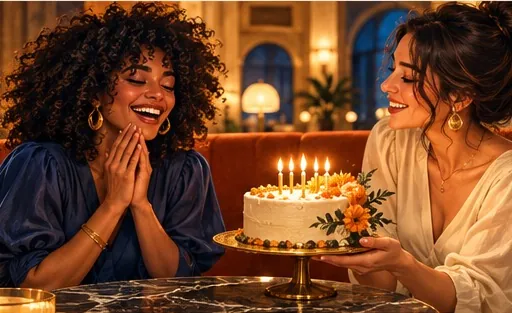
The crowd favourite: your little one rapping, you dancing next to them.
Smallest performer, biggest mic
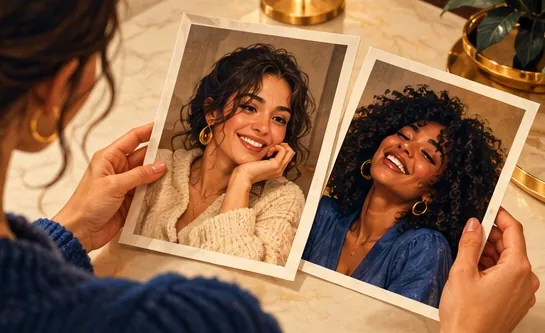
Yes, babies are allowed. Upload the baby’s photo and one of yourself, and your little one raps the original Hotel Lobby verse in the orange booth while you hype beside them, or you swap roles and the baby does the hyping.
Your duo, one photo each
A single person per photo. Left raps, right hypes.
Stage
Video and audio
Cost: 6 credits. Takes roughly 5 to 15 minutes. If it fails, the credits come back. See prices
Yes, Hotel Lobby Video (hotel-lobby-video.com) accepts baby photos for the Hotel Lobby AI trend when a parent or guardian consents. Upload a clear photo of the baby and one of yourself (left raps, right hypes) and stay on Wan 3.0. Before the video is made, each photo is redrawn as a studio portrait that is instructed to keep a baby’s age and proportions, so the baby keeps its own face. 12 seconds at 480p costs 6 credits (packs from 10 credits for $9.99, no subscription, no free preview), usually ready in about 5 to 15 minutes. TikTok bans AI content showing anyone under 18, so share it in family chats instead.
Last updated
Short answer first
Yes. The baby version is one of the most requested takes on the trend: a tiny rapper at the hanging mic with a parent hyping next to them. Hotel Lobby Video accepts baby photos when a parent or guardian agrees, either as one of the two photos or together with you in a single photo of you both.
Wan 3.0 never animates your photo directly. First it redraws each one as a full-length studio portrait of the same person, instructed to keep the face, age and body proportions, and for a baby specifically not to make them older. The video model then places those two portraits in the booth. You only ever see your own photos; the portraits stay on the server.
Early in the trend the booth routine came from the original COLORS footage, and models working from it tended to swap small faces for the two famous ones. Since October 3, 2026 the routine is performed by two AI stand-ins with no famous faces, which removes that pull and lets the baby stay the baby.
No. TikTok’s rules do not allow AI-generated content showing anyone under 18 (TikTok). Keep the clip for family chats, a message to the grandparents or platforms whose rules allow it, and mark it as AI-generated wherever it goes.
Photo to family chat
Face in focus and well lit, nothing covering it, ideally the baby on their own. A photo with you in it also works if you switch to One photo.
The left photo raps into the mic and the right photo hypes. Put the baby on the left for the tiny-rapper version.
12 seconds at 480p is 6 credits. Save the MP4, which plays the original Hotel Lobby song with no watermark, and share it with the family.
Ideas
The crowd favourite: your little one rapping, you dancing next to them.
A short clip for the party screen or the family group chat.
A baby photo next to a grandparent’s, taken decades apart.
Record a short note for the grandparents and upload it as your own song; the left performer lip-syncs it.
Made elsewhere
These clips come from other creators and other tools. They show the format, not what Hotel Lobby Video will produce for you. Every clip credits and links its maker.
Yes, with a parent or guardian’s consent. Our terms do not allow photos of anyone under 18 without it.
Yes. Switch to One photo and upload it; the picture is split into a portrait of each person. The person on the left raps, so check who is on which side.
That is what the setup is designed for: the routine has no famous faces to copy, and the baby’s portrait is drawn from your photo. AI can still change details, so a sharp, front-facing photo gives the closest match.
The portrait step is told to keep a baby’s age and proportions and never to age them up. How a baby holds the pose during the routine can vary.
Not on TikTok, which bans AI content showing anyone under 18. Check each platform’s rules, keep it to family chats where in doubt, and label it as AI-generated.
Yes, two babies can share the booth, one per photo. Twins who look very alike are harder for any AI to keep apart, so use photos where each face is clear.
Photos are deleted 7 days after the video finishes. The video stays in your account until you delete it. Details are in the privacy policy.
The same as any other: 6 credits for 12 seconds at 480p. Packs start at 10 credits for $9.99, there is no subscription or free preview, and failed renders refund automatically.
Yes, on Wan 3.0: upload 2 to 15 seconds of audio as your own song and the left performer lip-syncs it.
Tiny rapper, big booth
One baby photo and one of you, made for the family group chat.