
No footage needed
Skip the camera, the green screen and the editor. Most effects build a fresh background around you; Bring to Life instead brings the original photo itself to life.
Choose the scene, keep the face
Hotel Lobby Video (hotel-lobby-video.com) has 28 AI video effects: you upload a photo, choose a scene such as a zoom out to orbit or a rain of banknotes, and get a 5 second clip for 4 credits. The hard part is choosing, so this page sorts them by occasion.
Your photo
Just one photo: alone or as a pair.
Effect
Video
Cost: 4 credits. Takes roughly 2 to 5 minutes. If it fails, the credits come back. See prices
How it works
Think of each effect as a short script with an empty lead role. Your photo fills the role; the script says what the camera and the world around you do. One effect flies the camera up into space, another fills the frame with copies of you, another drops pizza from the sky. You never film anything.
A ByteDance Seedance model (Seedance 2.0 Mini, 2.0 Fast, 2.0 and 2.5) renders every effect. Its prompt asks it to hold on to each face and hairstyle from the photo, and to the clothes as well, apart from Turning Metal, Disintegration, Outfit Switch, Zombie, Halloween Costume and 80s Home Video, where changing them is the point. Raindance, Zombie, Gas Station, Slow Dance, Memorial Hug, Bring to Life, Halloween Costume, Dance, Bald Filter, 80s Home Video and Polaroid Hug ask the model for music, anything from a soft ballad to a heavy hip-hop beat; the rest get ambient sound. No effect makes anyone rap. Rapping lives in the AI rap generator.
From photo to clip
Use one where the face is clear and in focus: a solo shot, a photo of two of you, or a separate photo for each person.
Tap an effect card. Open Video settings if you want another model, resolution, length or shape; the credit price on the button follows.
Seedance takes up to about 5 minutes by the provider’s estimate. Your MP4 stays in My videos to download.
Why it suits short posts
Skip the camera, the green screen and the editor. Most effects build a fresh background around you; Bring to Life instead brings the original photo itself to life.
Add a photo per person and both of you share the shot. Hug, Zombie, Slow Dance, Memorial Hug and Polaroid Hug only work with two people.
The default is Seedance 2.0 Mini, 720p, 5 seconds: 4 credits. More seconds or a sharper resolution raise the number on the button.
Pick 16:9, 9:16, 1:1, 4:3, 3:4 or 21:9 without paying extra. If a render fails, its credits return automatically.
Some effects have a page of tips of their own: Earth Zoom Out, Hug, Clones, Raindance, Zombie, Gas Station, Memorial Hug, Bring to Life, Halloween Costume, Dance, Bald Filter, 80s Home Video and Polaroid Hug.
| Effect | The scene | Who is in it |
|---|---|---|
| Earth Zoom Out | Starts on your face and pulls back to the whole planet | One person or two |
| Hug | Two people turn to each other and share a warm hug | Two people (a photo each, or one shared photo) |
| Money Rain | Banknotes pour down while you laugh and grab them | One person or two |
| Red Carpet | A premiere walk with flashing cameras | One person or two |
| Fireworks | The night sky behind you bursts into fireworks | One person or two |
| Live Concert | Headlining a stadium stage under the spotlights | One person or two |
| Turning Metal | Chrome spreads over you, your face stays you | One person or two |
| Disintegration | You dissolve into glowing particles on the wind | One person or two |
| Levitation | You rise off the ground and float in the air | One person or two |
| Angel Wings | Large white wings unfold from your back | One person or two |
| Northern Lights | You under a sky of dancing aurora | One person or two |
| Bullet Time | Time freezes and the camera orbits around you | One person or two |
| Clones | A squad of copies of you appears one by one | One person or two |
| Outfit Switch | A spin, and your outfit changes, three times | One person or two |
| Giants | You tower over a city like a giant | One person or two |
| Comic Book | The scene turns into a pop-art comic panel | One person or two |
| Pizza Rain | Pizza slices fall from the sky and you catch one | One person or two |
| Raindance | Sing on a jetty at golden hour as warm rain falls | One person or two |
| Zombie | One of you turns into a zombie, the other still hugs | Two people (a photo each, or one shared photo) |
| Gas Station | A golden-hour dance, a selfie and a luxury car | One person or two |
| Slow Dance | Two people sway close in a softly lit ballroom | Two people (a photo each, or one shared photo) |
| Memorial Hug | A gentle hug with someone you miss, from two photos | Two people (a photo each, or one shared photo) |
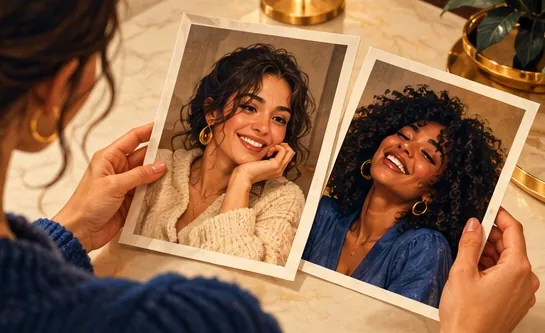
| Bring to Life | The person in an old photo blinks, smiles and moves | One person or two |
| Halloween Costume | Your outfit turns into a Halloween costume | One person or two |
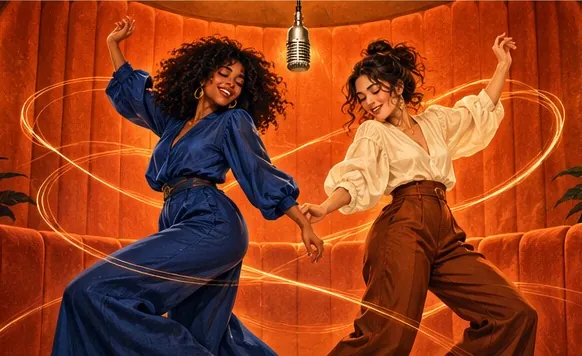
| Dance | A dance routine in a neon studio | One person or two |
| Bald Filter | Your hair vanishes with a pop, then the laugh | One person or two |
| 80s Home Video | You on a 1985 camcorder tape | One person or two |
| Polaroid Hug | A long hug inside a Polaroid photo | Two people (a photo each, or one shared photo) |
| The occasion | A good match |
|---|---|
| Birthday greeting | Fireworks or Pizza Rain |
| First salary or a promotion | Money Rain |
| Travel news or moving abroad | Earth Zoom Out or Northern Lights |
| A friend in a band | Live Concert |
| Missing someone far away | Hug or Memorial Hug |
| A faded family snapshot | Bring to Life |
| Sunset mood or a sung duet | Raindance |
| Friends at golden hour | Gas Station |
| Wedding day or anniversary | Slow Dance |
| Couples who like dark jokes | Zombie |
| A trick shot or sports highlight | Bullet Time |
| A team or creator intro | Clones or Comic Book |
| A dramatic exit from the group chat | Disintegration |
| Big wins and big moods | Giants or Levitation |
Made elsewhere
These clips come from other creators and other tools. They show the format, not what Hotel Lobby Video will produce for you. Every clip credits and links its maker.
Upload one photo, tap an effect and press create. Seedance renders a short clip of whoever is in the picture, and you download it as an MP4.
Yes, one clear photo is enough for most effects, and it all runs in the phone browser with no app. Hug, Zombie, Slow Dance, Memorial Hug and Polaroid Hug need two people, either two photos or one photo of both.
There is no free render: 5 seconds on Seedance 2.0 Mini at 720p is 4 credits. You spend credits at the moment you create (packs start at 10 credits for $9.99), and any render that fails gives them back on its own.
All 28: Earth Zoom Out, Hug, Money Rain, Red Carpet, Fireworks, Live Concert, Turning Metal, Disintegration, Levitation, Angel Wings, Northern Lights, Bullet Time, Clones, Outfit Switch, Giants, Comic Book, Pizza Rain, Raindance, Zombie, Gas Station, Slow Dance, Memorial Hug, Bring to Life, Halloween Costume, Dance, Bald Filter, 80s Home Video and Polaroid Hug.
No. Effects have a fixed scene each. To steer a video with your own words, use the AI rap option on the rap tab, which takes a short topic.
Only if they agreed. Leave out strangers, celebrities and other public figures.
Ready when you are
Choose a scene, add the photo, check the price on the button, then create.