Steps and rhythm
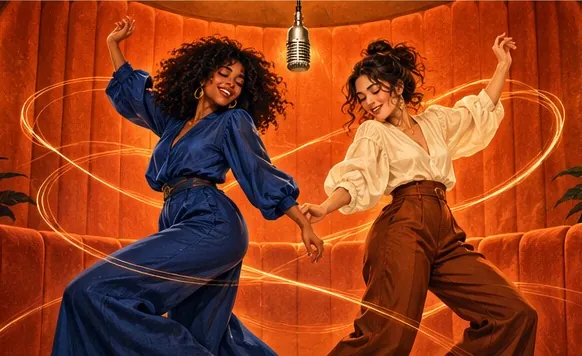
Footwork, arm moves, head turns and the timing of your clip carry over.
Your choreography, their faces
Yes, you can upload your own dance video for the moves. Record your spin on the routine, or any two-person dance, and the people from your photos copy its steps, gestures and camera in the orange booth, over the original Hotel Lobby song, your own audio or the clip’s sound.
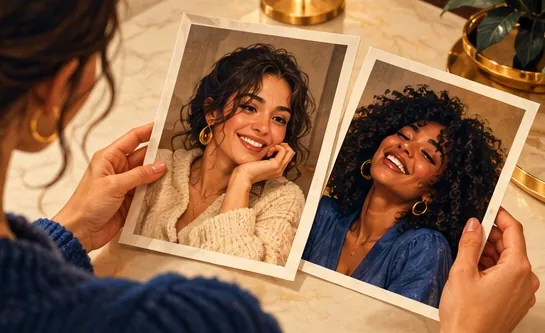
Your duo, one photo each
A single person per photo. Left raps, right hypes.
Stage
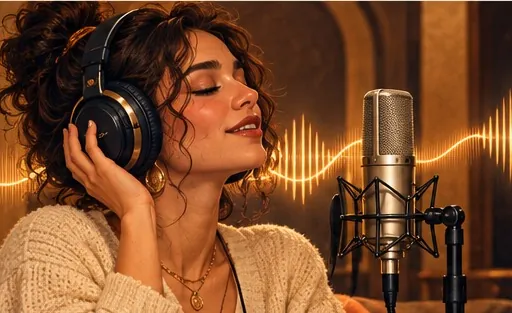
Video and audio
Cost: 6 credits. Takes roughly 5 to 15 minutes. If it fails, the credits come back. See prices
Yes: Hotel Lobby Video (hotel-lobby-video.com) takes your own dance video as the source of the moves. Add two photos, pick Your clip under Soundtrack & moves and upload 2 to 15 seconds of video. The people in your photos perform its steps, gestures and camera moves in the orange booth, while the clip’s own dancers and background are replaced. On Wan 3.0 at 480p, 10 seconds costs 5 credits; packs start at 10 credits for $9.99, with no subscription and no free preview.
Last updated
Where the moves come from
A Hotel Lobby AI tool gets its choreography from one of three sources: the original routine locked in as a template, a written prompt, or a video you supply (sometimes sold as Motion Copy or motion transfer). Hotel Lobby Video uses the built-in routine unless you switch to Your clip, and then it uses yours.
On this page the generator starts with Your clip already selected. Upload an MP4 or MOV straight from your camera roll; 2 to 15 seconds of it are used, and you choose which part by dragging the orange frame along the clip. Big phone files are re-encoded to roughly 720p in the browser while you keep working. The finished video runs as long as the section you pick.
Give the model an easy job: two people side by side, full body in frame, a camera that does not wander. The left performer copies the first dancer in your clip, the right performer the second. Any cuts, zooms or pans in your footage are copied as well.
Film at normal speed (slow motion does not work), keep both dancers visible from head to feet, and use steady light. Two dancers give each performer someone to follow; with only one dancer, the right-hand performer has no partner in the clip and the result is less predictable. Because the photos are not redrawn into portraits when you use your own clip, full-length photos of both people work best.
Clip to MP4
With your own clip the photos go to the model as they are, not redrawn first, so full-body shots of both people give it the most to work from.
Your clip is preselected under Soundtrack & moves. Upload the video, then drag the orange frame to the section you want; every length shows its credit cost.
The Hotel Lobby track is on by default; switch to Your song or Your clip’s sound if you prefer. Create, then download the MP4 with no watermark.
Division of labour
Footwork, arm moves, head turns and the timing of your clip carry over.
Zooms, pans and cuts are copied too, so a steady phone shot makes a steady video.
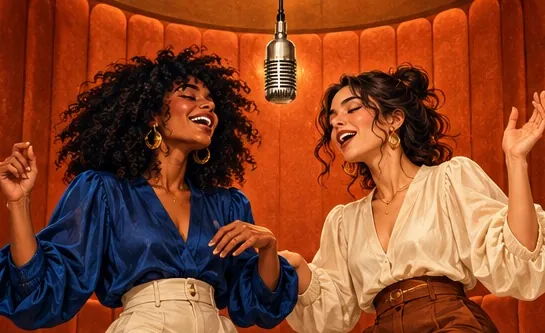
Faces come from your photos and the set is the orange booth; the background of your clip never appears.
On Wan 3.0 your clip works in the Hotel Lobby booth and on the other stages; on the Seedance models it is paired with an AI rap.
| Section of the clip used | Wan 3.0 480p | Wan 3.0 720p |
|---|---|---|
| Up to 5 seconds | 3 credits | 4 credits |
| About 10 seconds | 5 credits | 8 credits |
| About 15 seconds | 7 credits | 12 credits |
Neither the sound nor the stage affects the cost. Every rule for clips is collected in the reference video guide.
Made elsewhere
These clips come from other creators and other tools. They show the format, not what Hotel Lobby Video will produce for you. Every clip credits and links its maker.
Hotel Lobby Video (hotel-lobby-video.com). Pick Your clip under Soundtrack & moves (preselected on this page) and upload 2 to 15 seconds of video; the people from your photos perform its moves.
Yes. Upload the phone video as Your clip and leave the sound on the Hotel Lobby track; your pair performs your moves over the original song.
They are not meant to: faces and clothes are taken from your photos, not from the people in the clip. Faces from a clip can still leak into some renders, so only use footage of people who agreed to it.
Yes, when the clip has two dancers: the left performer follows the first, the right performer the second. With a single dancer, the right performer has nobody to follow and the result is less predictable.
The file can be any length. The video uses 2 to 15 seconds of it, whichever part you drag the frame over.
MP4 or MOV straight from a phone, recorded at normal speed. Slow-motion footage does not work. Very large or high-frame-rate files are converted in your browser.
No, it costs the same as any clip of that length: 5 credits for 10 seconds on Wan 3.0 at 480p. A section between two lengths is billed at the next length up. There is no free preview.
Only footage you shot yourself or have permission to use.
Yes, in your phone browser with no app. Wan 3.0 usually finishes in about 5 to 15 minutes; close the tab if you like and pick it up in My videos.
Your choreography, their faces
Two photos and one short clip, priced by length like every other video.