Make an AI Rap Video From Photos: Full Walkthrough
You make an AI rap video on Hotel Lobby Video (hotel-lobby-video.com) by uploading two photos (or one photo with both people), choosing a stage and a sound, adjusting Video settings and pressing create. The price in credits appears before you commit, Wan 3.0 renders typically finish in about 5 to 15 minutes, and failed renders are refunded.
The most common mistake is picking a stage or sound that the selected model does not support. The table below shows which settings belong to which model, so you can decide before you upload.
Last updated
The steps, in order
- Go to the rap video generator and stay on the Rap video tab.
- Upload two photos with one person in each, or a single photo of both. The left photo is the rapper at the mic; the right photo plays the hype partner.
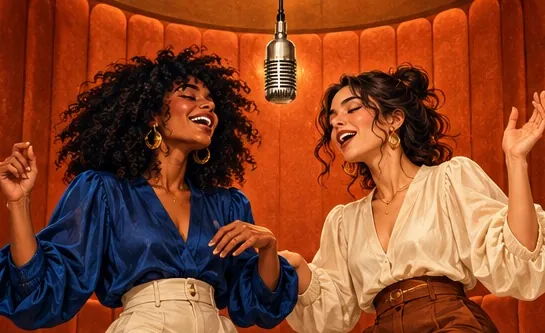
- Choose a stage. Hotel Lobby (orange) follows a reference clip of the original performance beat for beat, so the booth, hanging mic and routine match the trend. Every other stage requires a Seedance model.
- Choose the sound and the moves. On Seedance the sound is an AI rap; on Wan 3.0 it is your song or the Hotel Lobby track. Moves are either the Hotel Lobby routine or a clip of your own, 2 to 15 seconds long.
- Open Video settings to set model, quality, length and format. The credit cost sits next to each choice.
- Press create. The first time, you sign in with Google.
- Wait while it renders: typically about 5 to 15 minutes on Wan 3.0, and up to about 5 minutes on Seedance according to the provider. Finished videos are kept in My videos.
- Play it, then download the MP4. Credits are charged at create time, so there is no watermark to remove, and a failed render is refunded.
Every setting and what it changes
| Setting | Options | Effect |
|---|---|---|
| Photos | One person per photo (two photos), or one photo of both | Who appears; the left person raps, the right one hypes |
| Stage | Hotel Lobby (orange), Luxury Lobby, Studio Booth and Street Cypher | The scene; any stage except Hotel Lobby requires Seedance |
| Sound | AI rap from a topic (Seedance); your song, the Hotel Lobby track or the audio of your clip (Wan 3.0) | What the rapper performs to |
| Moves | The Hotel Lobby routine, or your clip (2 to 15 s) | How the pair moves |
| Model | Wan 3.0 (default), Seedance 2.0 Mini, 2.0 Fast, 2.0 and 2.5 | Cost and sound type: tracks run on Wan 3.0, topics and other stages on Seedance |
| Quality | 480p, 720p or 1080p on Wan 3.0; 480p up to 1080p on Seedance | Detail and cost |
| Length | 5, 8, 10, 12 or 15 s in the Hotel Lobby booth; 5, 8, 10, 12, 15, 20 or 30 s on other stages (20 or 30 s on Seedance 2.5 only) | Running time and cost |
| Format | 16:9, 9:16, 1:1, 4:3 or 3:4 | Frame shape only; the price stays the same |
Choosing between the three sounds
- AI rap (Seedance): enter a topic of up to 120 characters, or leave the box blank. The AI composes a new, clean verse and beat in the topic’s language (or the page language when blank), and the left person raps it. Both rap splits the verse between the two. It never reuses existing songs, lyrics or artist voices.
- Your song (Wan 3.0): upload an MP3 or WAV, select up to 15 seconds, and the left person lip-syncs. Only upload audio you are allowed to use.
- The Hotel Lobby track (Wan 3.0): the left person lip-syncs to the trend’s track, inside the orange booth or over a clip you supply.
How much an AI rap video costs
You pay in credits per video, and the number shows beside every option first. The standard 12-second Wan 3.0 video at 480p costs 6 credits. Changing the format never changes the price.
| What you render | Credits |
|---|---|
| Wan 3.0 480p, Hotel Lobby routine, 5, 8, 10, 12 or 15 s | 3, 4, 5, 6 or 7 |
| Wan 3.0 720p, same lengths | 4, 6, 8, 10 or 12 |
| Wan 3.0 1080p, same lengths | 8, 12, 16, 20 or 24 |
| 12 s AI rap from a topic, Seedance 2.0 Mini 720p, any stage | 10 |
| Any 12 s Seedance video | from 5 credits (Seedance 2.0 Mini, 480p) to 90 (Seedance 2.5, 1080p) |
- There is no free render: each video uses credits when you press create. Credits come back on their own if the render fails.
- The smallest pack is 10 credits for $9.99 and does not expire. The cheapest plan is Basic, 100 credits a month for $29.90. Details on pricing.
Writing a topic that raps well
- Use names and one concrete detail: “Nadia’s three alarms and zero mornings” gives the AI more than “my friend”.
- Stick to one idea; 12 seconds goes by fast.
- With Both rap on, set up a disagreement: “who loads the dishwasher wrong, Ava or Ben”.
- Need a starting point? Browse funny rap lyrics, rap battle roasts or a birthday rap song.
Fixes for common problems
| What went wrong | What to do |
|---|---|
| Faces look blurry or unlike the people | Use bright, front-facing photos from the waist up, and try a higher quality |
| The wrong person is rapping | Whoever is on the left leads, so swap the photos; in a photo of both, the person on the left leads |
| The topic box or a stage is missing | Choose a Seedance model |
| The topic was refused | Sexual or hateful topics are blocked before any charge; reword it |
| The render failed | Your credits return automatically; change the photos or topic and try again |
Posting your rap video
- For TikTok, Reels or Shorts, choose 9:16 before you press create.
- Download the MP4. The video stays in My videos, while uploaded photos are deleted after 7 days.
- Only use photos you have permission for, and check with your friend before posting.
FAQ
How long until my AI rap video is ready?
Typically about 5 to 15 minutes on Wan 3.0, and up to about 5 minutes on Seedance according to the provider.
What is the cheapest way to make an AI rap video about my own topic?
A 12-second rap on Seedance 2.0 Mini at 720p costs 10 credits on any stage. If the render fails, the credits are refunded.
I only have one photo with both of us, on my phone. Does that work?
Yes, as long as both people are in it; the person on the left raps. For a clip of just one person, use an effect instead.
Do I get the lyrics as text?
No. The rap is delivered only inside the MP4, as its soundtrack.
Why can’t I see the topic box?
The AI rap sound runs only on Seedance models. Switch the model in Video settings and the topic box appears.
Up next
Funny Rap Lyrics: 20 Clean, Original Bars You Can Borrow
Twenty clean, original funny rap bars for toasts, cards and chats, plus a simple way to write more
Rap Battle Roasts: 24 Clean Lines to Use on Friends
24 clean, original rap battle roasts for friends, the rules that keep them friendly, and how to film the battle
AI Rap Battle Video From Two Photos: Settle It in Bars
Turn a disagreement into an AI rap battle: writing a two-sided topic, the Both rap setting, what to check, and when to record exact lines instead
AI Rap Video in Your Own Language: Spanish, French and More
An AI rap in your family’s language: how the topic picks the language, writing names and details, what to listen for, and when to record instead
Hotel Lobby Video is an independent product with no ties to Quavo, Takeoff, Migos, Quality Control Music, Motown or COLORS.