Stand-ins instead of the stars
Two AI-made performers dance the reference routine, so the clip holds no famous face to copy.
Did another app give you Quavo’s face?
The faces in your video come only from your two photos. If another tool turned you into Quavo, the cause is usually the source footage; here the routine is danced by two AI stand-ins instead of Quavo and Takeoff, and each person is redrawn from their own photo before the video is made.
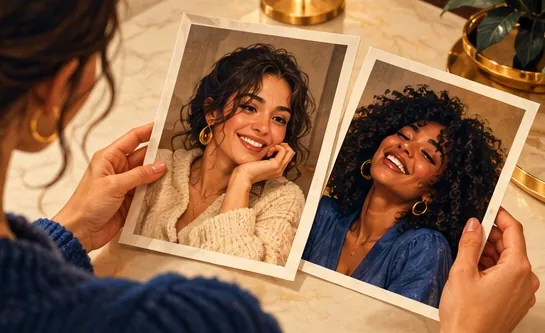
Your duo, one photo each
A single person per photo. Left raps, right hypes.
Stage
Video and audio
Cost: 6 credits. Takes roughly 5 to 15 minutes. If it fails, the credits come back. See prices
Yes: on Hotel Lobby Video (hotel-lobby-video.com) the faces come only from your two photos, never from Quavo or Takeoff. Two AI stand-ins perform the booth routine in place of the original COLORS footage, and each photo is first redrawn as a full-length studio portrait of that same person, so the video model has no famous face to drift towards. This setup has been live since October 3, 2026. 12 seconds at 480p on Wan 3.0 costs 6 credits (packs from 10 credits for $9.99, no subscription, no free preview), usually ready in about 5 to 15 minutes.
Last updated
Why faces drift
Hotel Lobby AI tools fall into two camps. A face swap pastes your face onto the original clip, so the bodies, the moves and often the features remain Quavo’s and Takeoff’s. A re-render makes a fresh video of your two people performing the routine. Hotel Lobby Video re-renders.
Even a re-render can go wrong if the reference it copies is the original performance. The model sees two famous faces in the footage and slides towards them, and small faces such as babies and pets are the easiest to overwrite. That was true of this generator too in its first days, when the routine still came from the COLORS clip.
On October 3, 2026 two things changed. The routine now comes from two AI stand-ins with no famous faces. And on Wan 3.0, each photo is first redrawn as a full-length studio portrait of the same person or pet, told to keep the face, age, hair and build. The video model works from those portraits, while you only ever see your own uploads.
This lowers the risk; it does not remove it. AI can still change small details, and a blurry or covered face leaves the model less to keep. If a portrait cannot be drawn within 5 minutes, your original photo is used instead. With your own dance clip, the photos are not redrawn and faces from the clip can carry over. A sharp, front-facing photo with the face fully visible gives the closest likeness.
Getting your face right
One per person with the face in focus and uncovered, or one photo of both of you via One photo. Skip sunglasses and hands near the face.
Hotel Lobby original on Wan 3.0: the stand-ins’ routine, the original track, and a portrait drawn from each of your photos.
12 seconds at 480p is 6 credits. Play the clip through before sharing; the MP4 has no watermark.
The safeguards
Two AI-made performers dance the reference routine, so the clip holds no famous face to copy.
Before the video is rendered, each person is redrawn as a full-length studio portrait of themselves.
Your left photo is always sent as the left performer and your right photo as the right one, so nobody swaps places.
Babies and pets were the most often replaced under the old footage; the portrait step is told to keep their age and features. See baby photos and pets.
| Face swap on the original clip | Re-render with AI stand-ins (this site) | |
|---|---|---|
| Faces | Yours pasted on, often sliding back to Quavo’s or Takeoff’s | Drawn from your photos |
| Bodies and clothes | Quavo’s and Takeoff’s | Yours, taken from the photos |
| Babies and pets | Frequently replaced | Kept by the portrait step |
Made elsewhere
These clips come from other creators and other tools. They show the format, not what Hotel Lobby Video will produce for you. Every clip credits and links its maker.
Hotel Lobby Video (hotel-lobby-video.com): the faces come only from your two photos. AI stand-ins perform the routine instead of Quavo and Takeoff, and each person is redrawn from their own photo.
Most likely it worked from the original Quavo and Takeoff clip. A face swap keeps their bodies, and a model copying their footage drifts towards their faces. This generator had the same issue before October 3, 2026, when it switched to stand-in footage.
No AI tool can guarantee that. Details can still shift, and blurry or covered faces give the model less to work with. A failed render is refunded, but a finished video you are unhappy with is not.
The portrait keeps your hair and whatever clothes the photo shows, then fills in the rest with plain matching clothes. Items you are holding and some accessories are left out.
Yes. Use One photo and both faces are split into separate portraits before the video is made. Both faces should be clear and not too small.
Then the photos are not redrawn, and faces from the clip can carry over into the video. Use footage of people who agreed. See your own dance video.
No. Only the performers in the reference changed; the default still puts the original Hotel Lobby track in the MP4. See the original song.
6 credits for 12 seconds at 480p, with packs from 10 credits for $9.99 and no subscription or free preview. It runs in any phone browser and is usually ready in about 5 to 15 minutes.
Your face, your clip
Two clear photos, the default setting, and an MP4 that looks like you.