
No filming at all
No camera, no green screen, no editing app: one photo does it.
You are the lead
Hotel Lobby Video (hotel-lobby-video.com) makes an AI video of you from one photo: pick a scene and you zoom out to orbit, multiply into a squad, or watch your clothes become a Halloween costume, with your own face throughout. 5 seconds is 4 credits.
Your photo
Just one photo: alone or as a pair.
Effect
Video
Cost: 4 credits. Takes roughly 2 to 5 minutes. If it fails, the credits come back. See prices
To make an AI video of yourself on Hotel Lobby Video (hotel-lobby-video.com), upload one clear, front-facing photo, choose an effect and tap Make the effect. The model keeps your face and places you in the scene, from an Earth zoom out to a neon dance studio. 5 seconds on Seedance 2.0 Mini at 720p costs 4 credits, the provider quotes up to about 5 minutes, and it works in a phone browser. There is no free version: packs start at 10 credits for $9.99 with no subscription, and failed renders are refunded. Add a friend’s photo to share the scene, or make a rap video of the two of you; rap videos always have two performers.
Last updated
The decision you make
The only real decision is the scene. Each effect is a short, prewritten shot: the camera move, the setting and the sound are fixed, and your photo supplies the person. Most effects replace the background of your photo with their own world, and none asks you to write a prompt.
The prompt asks the model to keep your face, hair and clothes as they are in the photo, except in effects that change them deliberately: Halloween Costume turns your clothes into a costume, Bald Filter takes the hair away, and 80s Home Video restyles you for 1985.
How to
A sharp selfie or waist-up shot of only you, looking at the camera.
Earth Zoom Out is preselected on this page; tap any other card to switch. Each setting shows its price.
The provider quotes up to about 5 minutes. The MP4 is also stored in My videos.
Why it is easy
No camera, no green screen, no editing app: one photo does it.
Every frame uses the face from your picture, not a stock actor.
9:16 is the default; 16:9, 9:16, 1:1, 4:3, 3:4 or 21:9 all cost the same.
4 credits for 5 seconds at 720p; more seconds or a sharper resolution cost more.
| Effect | The scene |
|---|---|
| Earth Zoom Out | Starts on your face and pulls back to the whole planet |
| Clones | A squad of copies of you appears one by one |
| Raindance | Sing on a jetty at golden hour as warm rain falls |
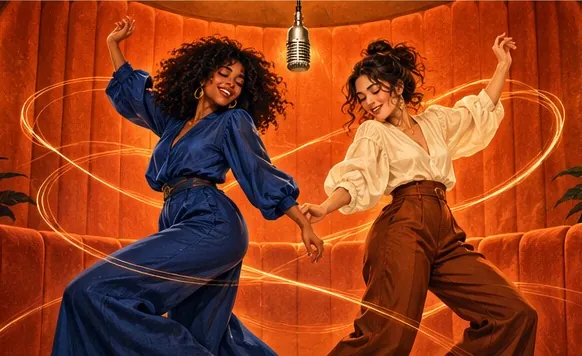
| Dance | A dance routine in a neon studio |
| Halloween Costume | Your outfit turns into a Halloween costume |
| Bald Filter | Your hair vanishes with a pop, then the laugh |
| 80s Home Video | You on a 1985 camcorder tape |
| Money Rain | Banknotes pour down while you laugh and grab them |
| Red Carpet | A premiere walk with flashing cameras |
Hug, Zombie, Slow Dance, Memorial Hug and Polaroid Hug need two people and will not work from a solo photo. The full list of 28 is on AI video effects.
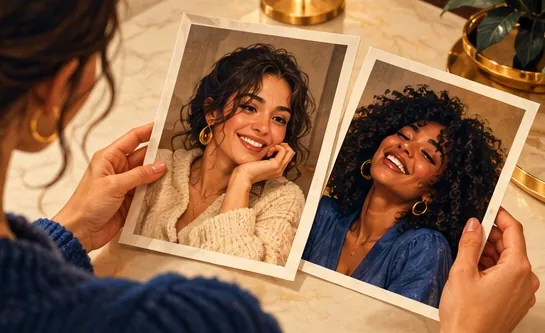
Upload a photo of each of you, or a single photo of both, and the two of you appear side by side in whichever effect you pick.
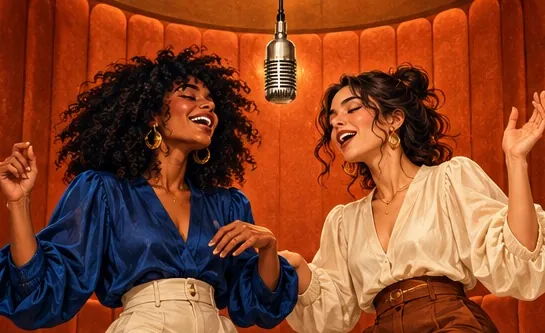
For music, open the Rap video tab. The Hotel Lobby video maker puts the pair of you in the orange booth, one rapping to the Hotel Lobby track and one hyping, 6 credits for 12 seconds on Wan 3.0, ready in about 5 to 15 minutes. The AI rap generator writes an original rap from one line you type, 10 credits for 12 seconds at 720p. Rap videos always need two people; a solo rap is not possible.
Make videos only of yourself, or of friends and family who agreed, and ask before posting. No strangers, celebrities or public figures.
Made elsewhere
These clips come from other creators and other tools. They show the format, not what Hotel Lobby Video will produce for you. Every clip credits and links its maker.
Upload the selfie, pick an effect (Earth Zoom Out is selected here) and tap Make the effect. You get an MP4 with your face from the photo.
Not on this site. 5 seconds at 720p is 4 credits. Credit packs are one-time purchases, so there is nothing to cancel. You spend credits at the moment you create (packs start at 10 credits for $9.99), and any render that fails gives them back on its own.
Yes. It runs in Safari, Chrome or any mobile browser, and you download an MP4.
A sharp, front-facing, well-lit photo gets the closest result. The model keeps the face from your photo, though AI output can differ in small details.
No. Rap videos always have two performers, so add a friend’s photo. For a solo music moment, Raindance has you singing on a sunset jetty.
Add a photo of each of you, or one of both, then choose an effect, or open the Rap video tab for a rap of the two of you.
5 seconds by default; longer clips cost more. The provider quotes up to about 5 minutes.
Yes, if she agrees. Never use photos of strangers, celebrities or other public figures.
Your scene
One photo, one scene, your face. You see the price before you create.