No second photo needed
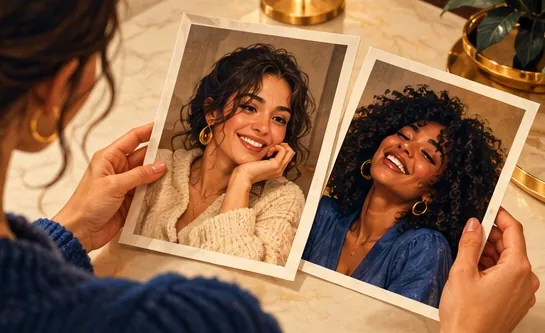
Use a picture from a party, a holiday or a wedding; you do not have to take separate portraits.
Just one picture of you two?
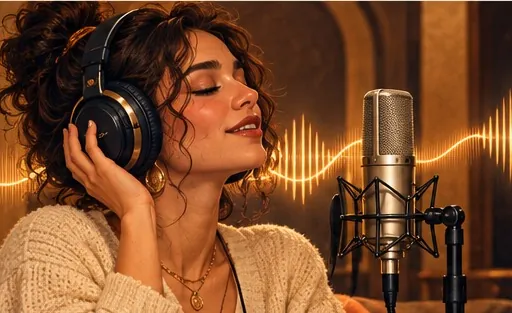
Yes, a single photo of the two of you is enough. Pick One photo, upload the shot, and the person standing on the left raps under the hanging mic while the person on the right hypes, each keeping their own face.
One photo of the pair
The person on the left raps, the right one hypes.
One picture with you both next to each other and faces easy to see. Left side raps, right side hypes.
Stage
Video and audio
Cost: 6 credits. Takes roughly 5 to 15 minutes. If it fails, the credits come back. See prices
Yes: Hotel Lobby Video (hotel-lobby-video.com) makes the Hotel Lobby AI video from one photo of two people. Set the photos to One photo and upload the picture of you both; the person on the left raps and the person on the right hypes. The photo is first split into two full-length studio portraits, one per person, each told to keep that person’s face and clothes. 12 seconds at 480p costs 6 credits (packs from 10 credits for $9.99, no subscription, no free preview), usually ready in about 5 to 15 minutes, with the original Hotel Lobby song in the MP4.
Last updated
Behind the One photo option
Tools differ on input. Some insist on two separate portraits; some accept a single photo but treat it as one performer, leaving the other half of the booth to a stranger. Hotel Lobby Video accepts both: two photos, one per person, or one photo of the pair through the One photo option.
With One photo, Wan 3.0 does not animate your picture as it is. It first draws two full-length studio portraits from it, one of the person on the left and one of the person on the right, each instructed to keep that person’s face, age, hair and clothes. The video is built from the two portraits, so left stays left and right stays right. If a portrait is not ready within 5 minutes, the photo itself is used instead.
Both faces need to be clearly visible and reasonably large in the frame; a shot of you standing or sitting side by side is ideal. Use a picture with exactly two people in it, because the booth only has room for two performers.
Good: a wedding photo, a trip selfie at arm’s length, two friends on a sofa, faces turned towards the camera. Harder: a crowded group shot, faces partly hidden by hats or hands, tiny faces in a wide landscape, or one person mostly turned away. For those, two separate photos give a more reliable result.
One picture, three steps
On this page the generator opens with One photo selected, so you get one upload slot for the picture of you both.
Both faces clear and unobstructed. Whoever stands on the left will rap; whoever is on the right will hype.
12 seconds at 480p is 6 credits, the same as with two photos. Download the MP4, which has no watermark.
What you get
Use a picture from a party, a holiday or a wedding; you do not have to take separate portraits.
Your photo becomes a full-length studio portrait of each person before any video is rendered.
The person on the left of the photo is the rapper, the person on the right is the hype partner.
By default the original Hotel Lobby track is in the MP4. More on the original song.
| One photo (One photo option) | Two photos | |
|---|---|---|
| You upload | A single picture of you both | A separate picture of each person |
| The rapper is | Whoever is on the left of the photo | The person in the left slot |
| Before the video | The photo is split into one portrait per person | Each photo becomes a portrait |
| Best when | You only have a shared photo | Faces are small or partly hidden in the shared photo |
Made elsewhere
These clips come from other creators and other tools. They show the format, not what Hotel Lobby Video will produce for you. Every clip credits and links its maker.
Hotel Lobby Video (hotel-lobby-video.com): set the photos to One photo and upload the picture of you both. It is split into a portrait of each person, and both of you appear in the booth.
Yes, if both faces are clear enough. Older or lower-quality photos give the portrait step less to work with, so details may shift. Choose One photo and upload the sharpest copy you have.
That is what the split into two portraits is for: each portrait is drawn from that person in your photo. AI can still change details, so clear, front-facing faces give the closest result.
The person on the left of the photo raps into the mic and the person on the right hypes. To swap, use a photo where you stand the other way round, or upload two separate photos.
Use one with exactly two people. The portrait step looks for the left and right person, so extra people make the result unpredictable. Crop the photo first if you can.
Neither. The price is the same: 3, 4, 5, 6 or 7 credits for 5, 8, 10, 12 or 15 seconds at 480p. The two portraits cost you nothing extra.
No, but both faces must be clear and large enough to see. Side-by-side photos work best.
No. Every clip is paid in credits when you create it; packs start at 10 credits for $9.99, and failed renders refund automatically.
Yes, in any phone browser with no app. It is usually ready in about 5 to 15 minutes; close the tab if you like and find it in My videos.
One photo, two performers
One picture of you both, the default setting, and an MP4 with the original song.